Score without thinking about technology
The observer signs in with a PIN, scores with five buttons, and the app handles the rest: sections, laps, sync and data.

The observer signs in with a PIN, scores with five buttons, and the app handles the rest: sections, laps, sync and data.
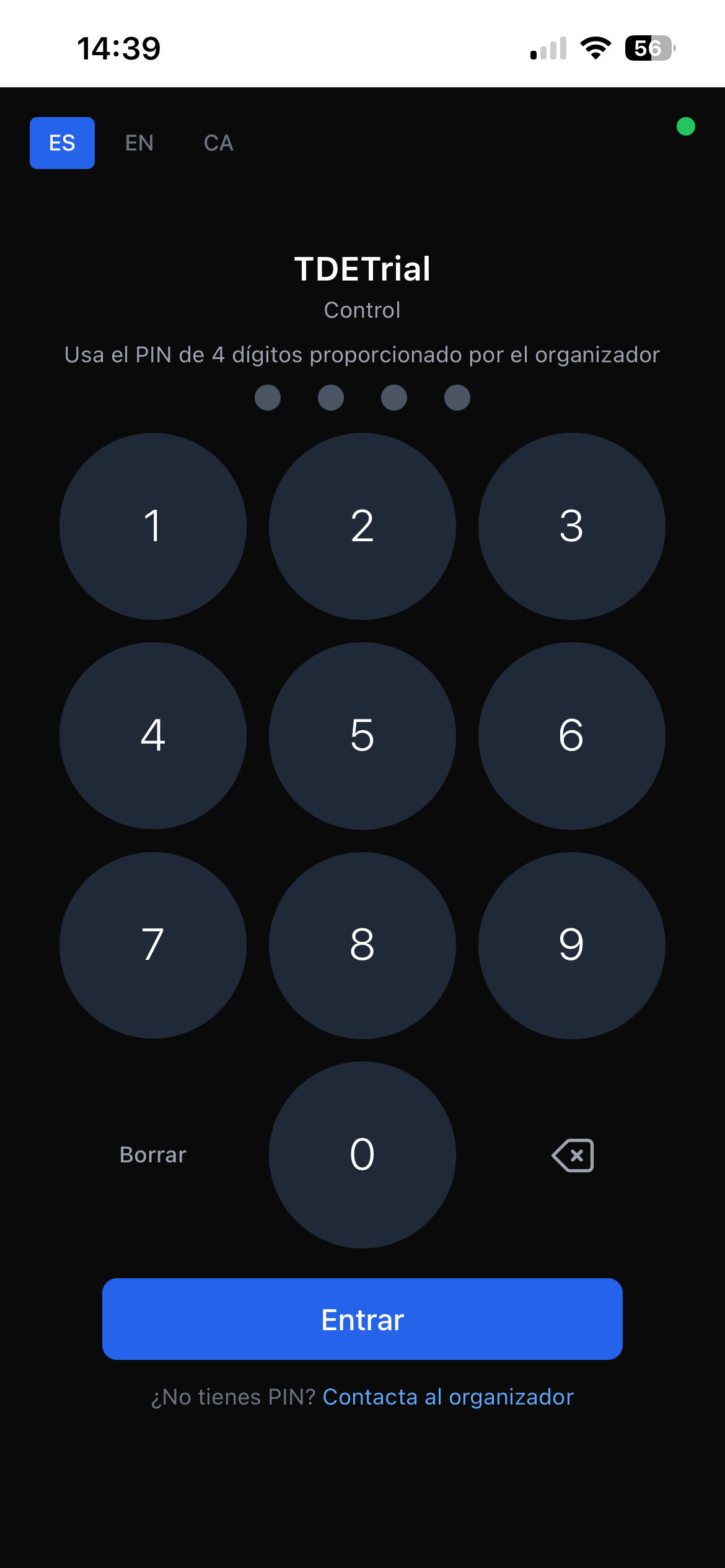
Sign in with a PIN
No accounts, no emails, no passwords to forget. The organizer hands a 4-digit PIN to the observer and they're in.
- 4-digit PIN access provided by the organizer
- Language selectable on launch: Español, English or Català
- No registration, no personal data from the observer
- Connection status indicator visible at all times
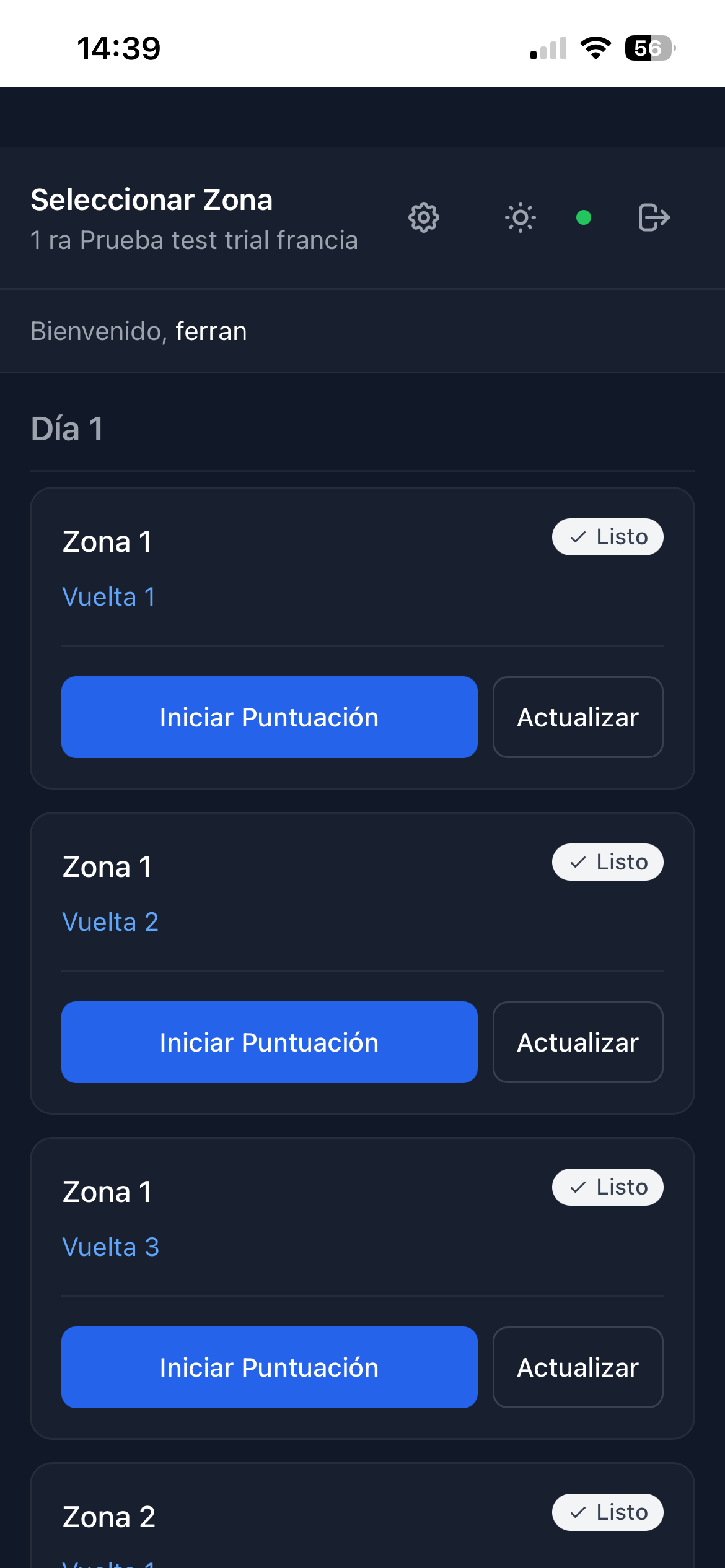
Section selection
A clear view of every section and lap in the event. Multi-day events group by day and the status of each combination is visible at a glance.
- List by Day, Section and Lap — even multi-day events
- Visible states: Ready, Section Scored, Correct
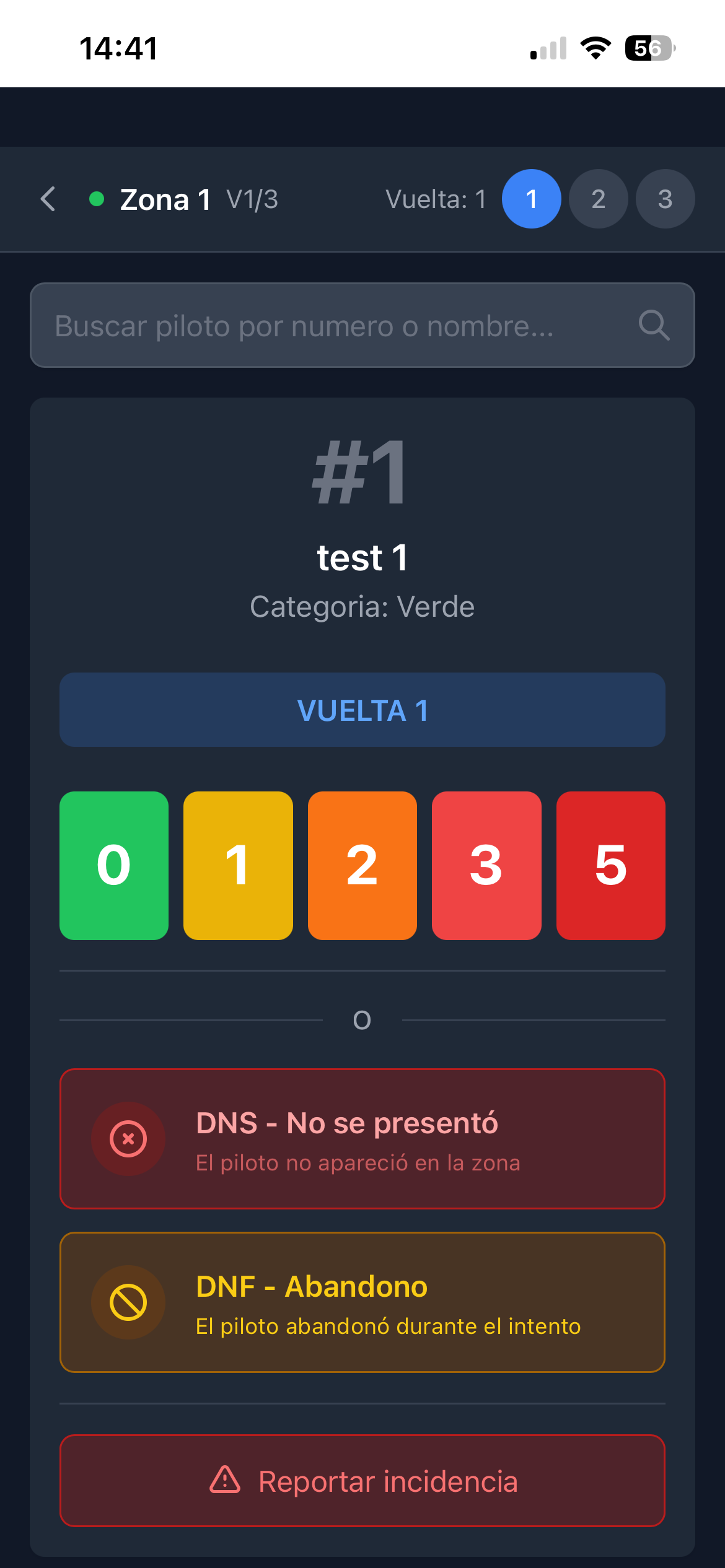
- Light and dark mode, switchable from the same screen
- Refresh Sections button to force a server refresh
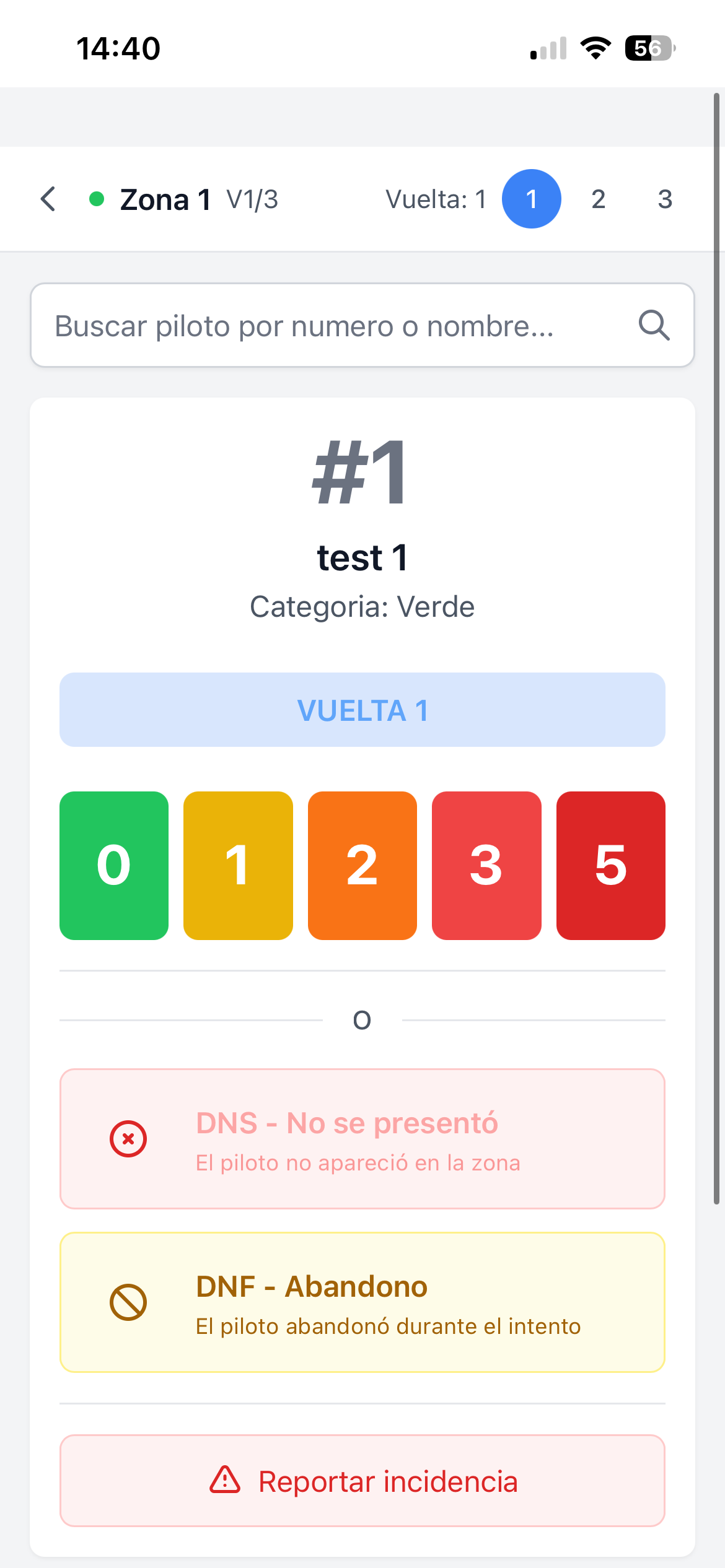
Score 0 · 1 · 2 · 3 · 5
The official Trial scale, presented as five large coloured buttons. One action, one tap, next rider.
- Five large buttons with the 0–1–2–3–5 scale (no 4)
- Search by bib number or rider name
- Rider category and lap always on screen
- Previous / Next navigation through pending riders
DNS, DNF, and incidents
What happens outside the attempt is logged too. From the same scoring screen — no extra menu.
- DNS — the rider did not start the section
- DNF — the rider gave up during the attempt
- Open incident report routed to the organizer
- Correct a submitted score from the section list
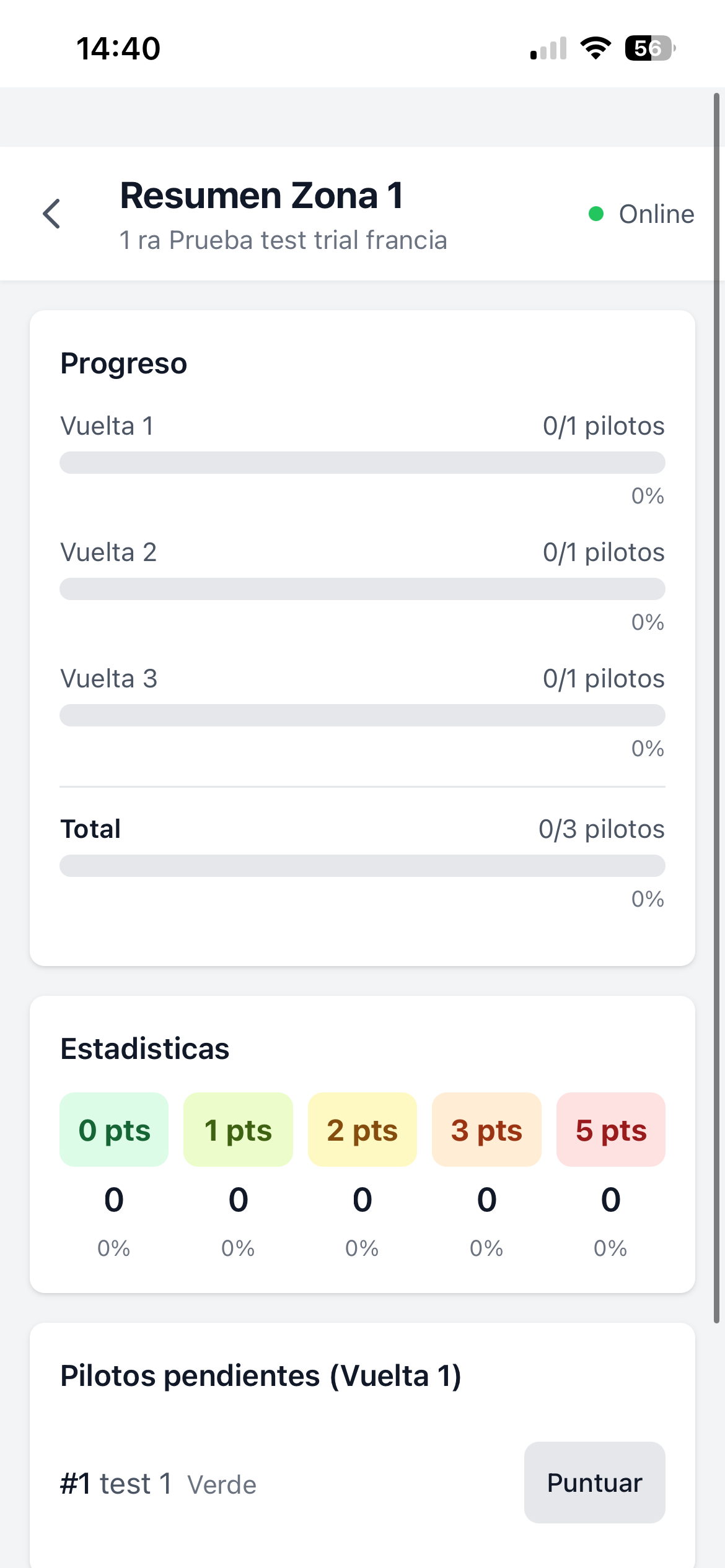
Section summary and progress
A panel per section shows what's missing and how it's going. Useful for the observer and for the organizer doing the rounds.
- Progress per lap and total — bars and percentage
- Score distribution: how many 0s, how many 1s, …
- Pending-riders list with direct access to Score
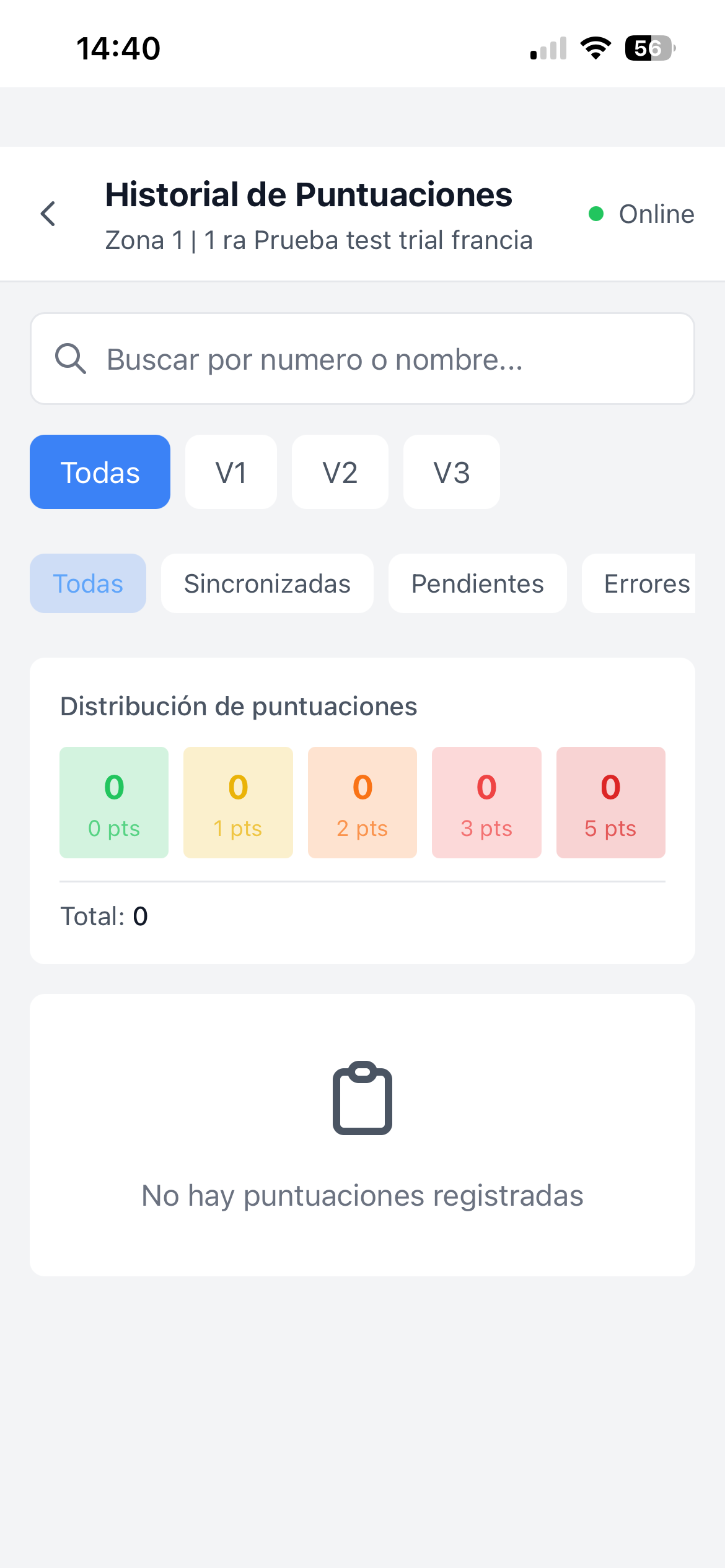
- Filterable history by lap and submission status
Transparent sync
Trial sections sit where signal doesn't reach. Every score is stored on-device and uploads as soon as connection returns. The observer always knows what's sent and what's pending.
- Online / Offline indicator on every screen
- History filters: Synced, Pending, Errors
- Score distribution per lap inside the history view
- Refresh Sections button to force manual sync
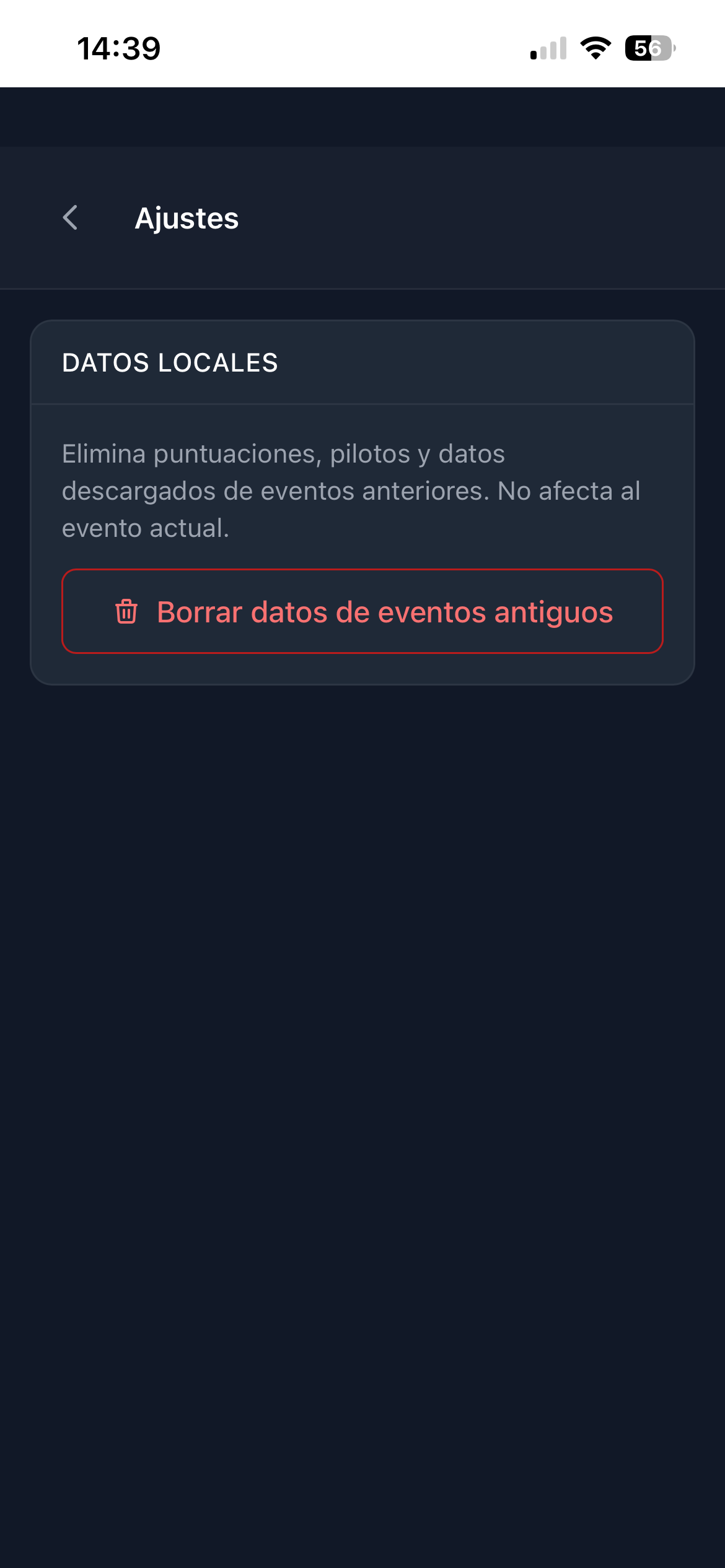
Local data under control
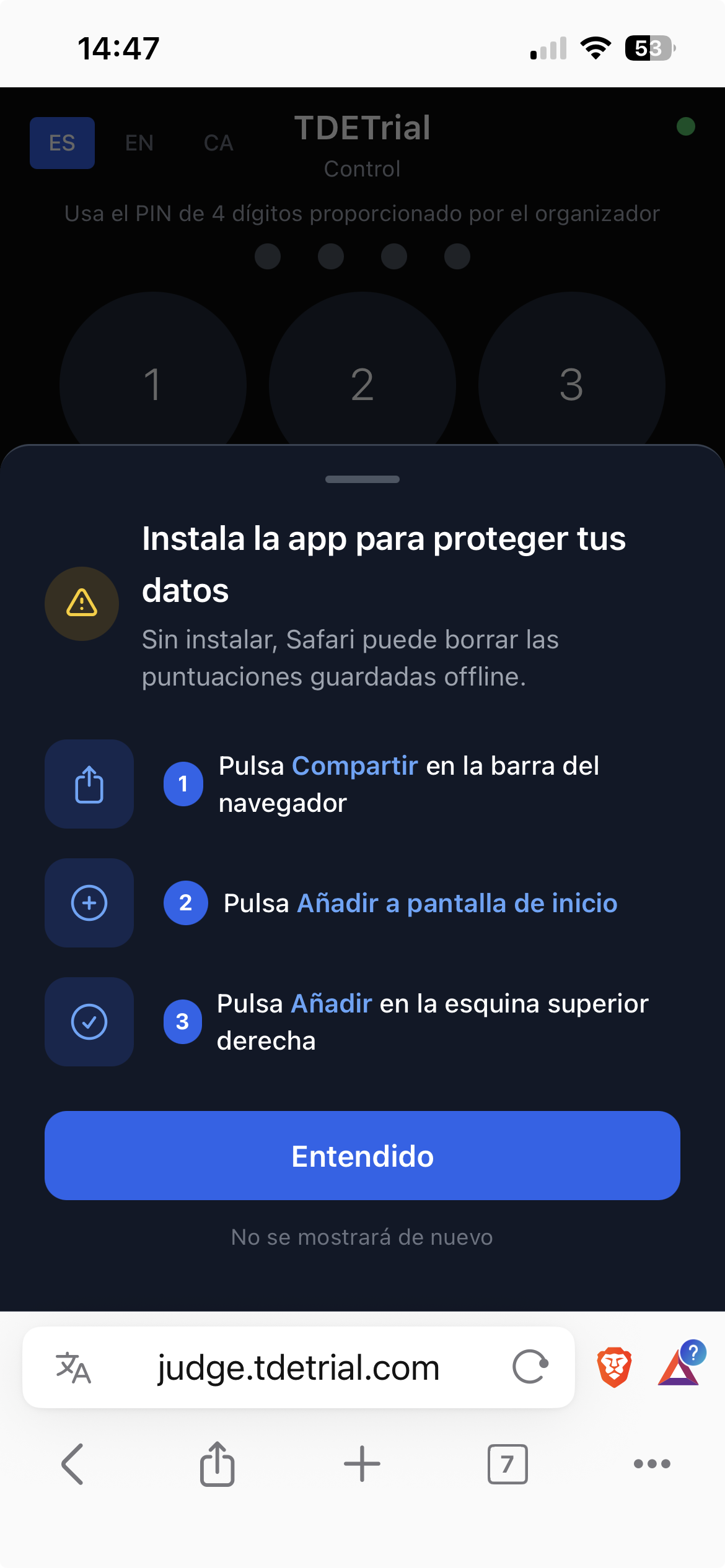
The observer decides what stays on the device. Old events can be wiped without touching the active one, and on iOS the app can be installed so Safari doesn't drop the offline scores.
- Settings → Delete data from old events (scores, riders and downloads)
- The active event is never affected by the cleanup
- Installable as an app on iOS via Share → Add to Home Screen
- Without installing, Safari may clear offline storage on close